Self-modifying configuration pattern
One of the interesting, and hard aspect of calisthenics, is the ability to progress1 between movements in many different ways. In contrast to classical weight training, the target is not being able to lift a certain amount of weight over a certain amount of repetitions – but being able to move into a position and hold for some time.
Classical axes of movements are divided into pulling vs. pushing and vertically vs. horizontally. For example, handstand is a vertical pushing movement.
I was recently loooking for ways to track exercise progressions long-term. As I found existing applications not customizable enough for my needs, I instead implemented a simple interval timer. What set it aparts from others, is that executions is sourced from TOML files. Especially for intra-exercise progressions, I found a self-modifying pattern useful, where configuration keys can act on themselves.
To keep implementation complexity low, I’ve written a small, static webapp, where you can upload a set of exercises of TOML files. It then executes them and offers a progressed version at the end, for the next session.
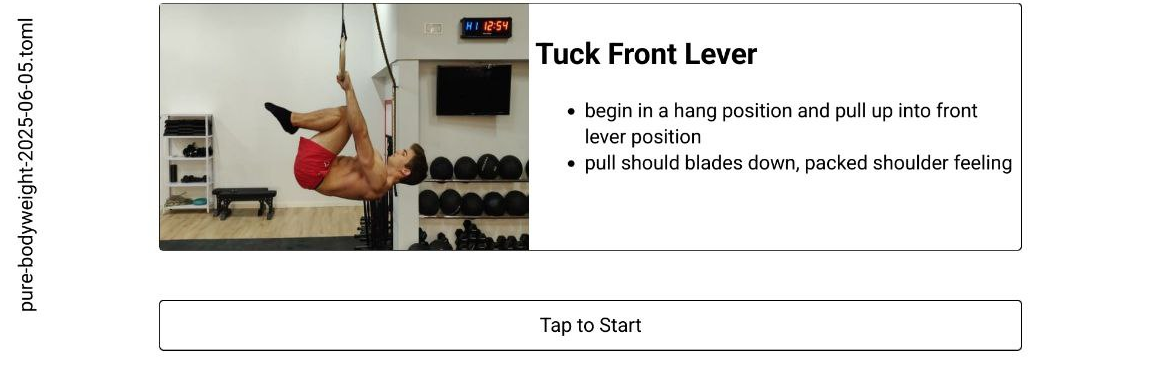
For example, the Tuck Lever exercise is defined with a header of
[tuck-front-lever]
tags = [ "bodyweight" ]
text = """
## Tuck Front Lever

 - begin in a hang position and pull up into front lever position
 - pull should blades down, packed shoulder feeling
"""
media = "https://workout-temple.com/wp-content/uploads/2022/11/sideview-tucked-front-lever.jpg"
This renders a simple start screen with all information needed:
A main design question is how to implement all the specific progression for exercises. Some consists of simple on-off phases, others have multi-stage exercises, again other progress in changing the movement altogether. To accommodate all of these possible progressions, I quickly realized that no built-in system would suffice.
Instead, I moved the programmatic part from the webapp to the configuration file, and described the possible progression actions as fields with associated JS snippets. The file acts on itself, is hence self-modifying. Again for the Tuck Front Lever, we have only a single action, that of decreasing pause between sets:
[tuck-front-lever.mods.decrease-pause]
name = "Decrease Pause"
action = """
for (const elm of cfg["config"]["conduct"]) {
\tif(elm["kind"] != "pause")
\t\tcontinue;

\telm["length"] *= 0.75;
}
"""
After the exercises ends, you can select whether to progress, or not:
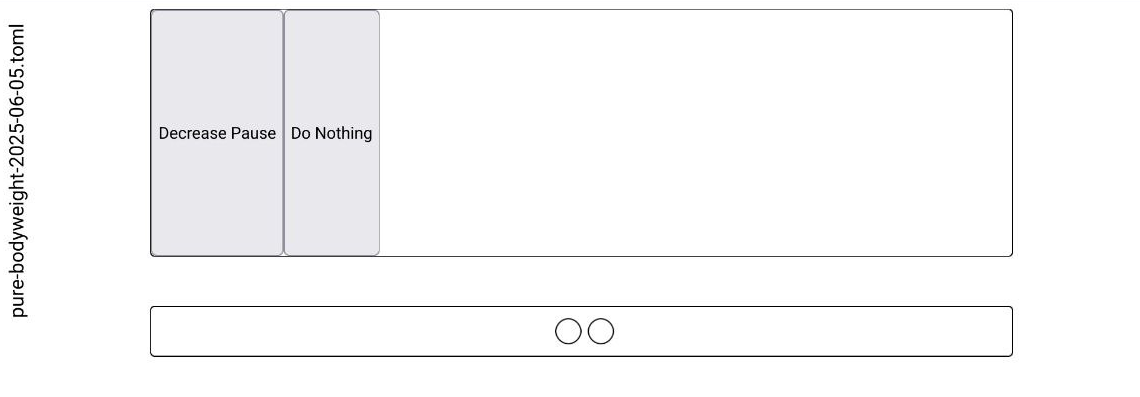
The link on the left downloads the modified file. Pretty simple and flexible.
Changelog
| 5 June, 2025 | Add blog post about self-modifying pattern | 5402284 |
| 15 October, 2025 | Add more context to self-modying post; Add example file | 6085a5b |